


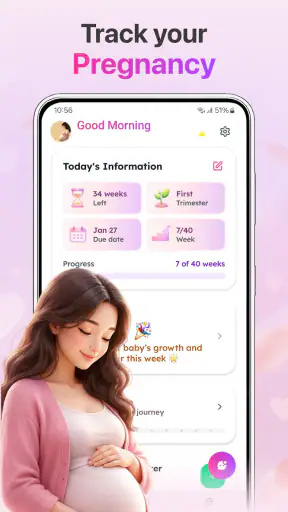

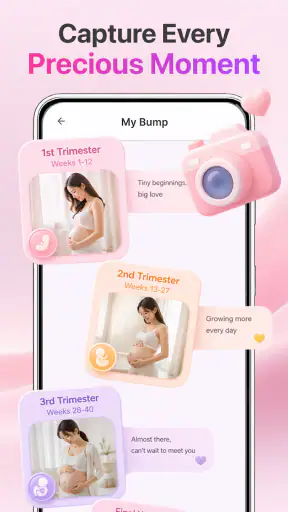
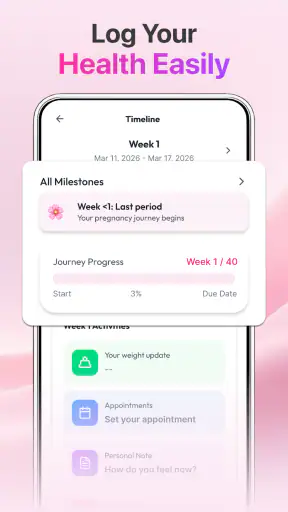
Pregnancy tracking can be useful without becoming another demanding task on a busy day. Baby & Pregnancy Tracker is aimed at that middle ground: a parenting app from ZAppsolution that brings baby growth information, size comparisons, pregnancy tips, and everyday reference material into one place. I found the idea practical for quick check-ins, especially when I wanted a simple way to follow a pregnancy rather than a large health platform with many unrelated sections.
The app is free to download and is rated for Everyone, which makes its presentation feel approachable for a broad audience. It has reached over one million installs and holds a 4.7 average from around one thousand two hundred ratings, so it has clearly found an audience among people looking for a straightforward pregnancy companion. Its current version is 1.0.8, and it runs on Android 8.0 or newer. Optional purchases range from $1.99 to $11.99 per item, something worth remembering if you prefer to keep every part of a tracker free.
How the information feels to use day to day
Readable guidance for short, tired check-ins
My first impression is that the app’s value depends less on complicated tools and more on how quickly I can understand what is on screen. Pregnancy tracking is often done in small moments: while waiting for an appointment, during a break at work, or late at night when concentration is limited. A useful tracker needs to make those moments feel manageable, and this one is best approached as a quick reference rather than a system that demands a long setup routine.
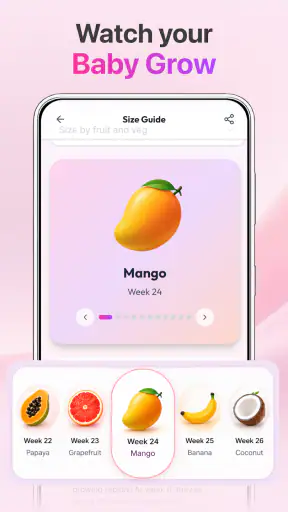
The focus on baby growth, size, and pregnancy tips gives the app a clear purpose. Instead of making me search through a wide collection of unrelated parenting subjects, it keeps the central experience tied to the pregnancy journey. That narrower focus is helpful for someone who wants reassurance and orientation, although readers who prefer detailed medical explanations may eventually want a more specialized source alongside it.
I also appreciate the difference between information that helps me understand progress and information that tells me what to do. Growth and size comparisons are useful for building a mental picture of development, while tips can suggest topics to consider during a particular stage. Neither should replace advice from a qualified healthcare professional, but together they can help me arrive at an appointment with better questions and a clearer sense of what I want to discuss.
A better workflow than simply opening the app at random
The most useful way I would use this app is as part of a small weekly routine. I would check the current growth information, read the relevant tip rather than trying to consume everything at once, and then write down one question for my midwife or doctor. That turns passive browsing into something practical. It also reduces the risk of treating a general app as a personal diagnosis tool.
A second helpful approach is to use the size information as a conversation starter, not as a precise measurement of an individual baby. Comparisons can make development easier to picture, but pregnancy does not progress identically for everyone. If a comparison feels worrying or does not match something discussed at an appointment, professional guidance should take priority. The app works best when it supports understanding without encouraging unnecessary self-checking.
People with limited reading stamina may benefit from opening the app only when they have a specific question. Instead of scrolling through every available tip, I would choose one subject, read it slowly, and leave the rest for another day. This is a small change, but it makes a general-purpose tracker less tiring and helps keep useful information from blending into a wall of text.
Navigation and the cost of simplicity
A focused parenting app can be easier to navigate than a broad pregnancy platform that combines appointments, community discussions, shopping, meal planning, exercise, and medical content. Baby & Pregnancy Tracker’s central theme gives it a natural advantage for users who want a calm reference tool. I do not need to treat it like a social network or a full personal health record to get value from it.
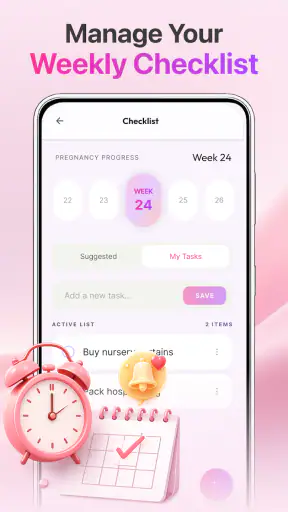
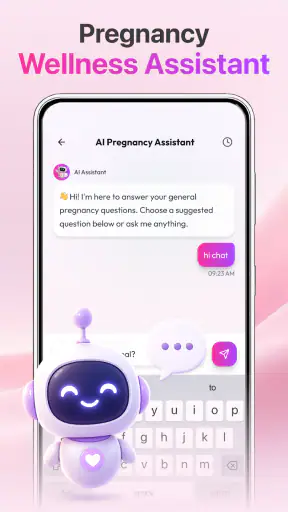
That simplicity also creates a trade-off. Someone expecting a complete pregnancy organizer may find the experience too limited if they want extensive planning features, detailed symptom records, appointment management, or direct communication with clinicians. I would choose this app for orientation and regular reading, not as the only place where I manage every pregnancy-related task.
Motor and sensory considerations
For users with motor difficulties, the main question is whether short interactions feel easier than maintaining a detailed diary. A tracker centered on viewing information can be less demanding than one that expects frequent typing, repeated data entry, or precise control of many small controls. In my view, that makes this app more approachable for someone who wants to check progress with minimal physical effort.
At the same time, I would not assume that every screen works equally well for every user. Text-heavy guidance can be tiring for people with dyslexia, visual processing differences, migraines, or limited concentration. Users who rely on larger system text, screen magnification, or spoken output should test how the app responds on their own device rather than assuming that every element will adapt perfectly. The practical test is simple: can you enlarge or read the important information comfortably without losing context?
People with hearing loss are unlikely to need audio to understand the app’s central purpose if the key material is presented as written growth information and tips. For users with low vision, however, the usefulness of size comparisons depends on whether the accompanying text remains clear and whether visual distinctions are explained in words. I would treat the written explanation as more important than any illustration or visual comparison, particularly when making a decision about whether the app is comfortable for regular use.
There is also a sensory side to pregnancy that is easy to overlook. Some users may be sensitive to busy screens, frequent prompts, strong colors, or a steady stream of alerts. A calmer reading pattern is preferable for them, but the best approach is to keep sessions short and avoid using the app when symptoms such as nausea, fatigue, or headaches make screen reading unpleasant. An app can be useful and still be the wrong activity at a particular moment.
Using it in real situations
Imagine someone commuting to work and receiving a question from a partner about how the baby is developing that week. Opening the app during a quiet part of the journey could provide a quick explanation and a size reference without requiring a long research session. Later, the same person might share the topic with their partner and use it to plan a question for the next appointment. That is a realistic strength: the app can help turn a vague sense of progress into a simple conversation.
Another scenario is a first-time parent who feels overwhelmed by conflicting advice online. Rather than searching through social media posts with unknown context, they could use the app’s pregnancy tips as an initial orientation point, then verify anything important with a healthcare professional. This workflow is safer and less stressful than treating a single article as a final answer. The app is most valuable here as a starting place that helps organize curiosity.
It may also suit a partner, relative, or friend who wants to understand the pregnancy without taking over the experience. A concise growth reference can make it easier to follow along, but the pregnant person should remain in control of what information is shared and how often. That matters for inclusive use: a tracker should support the individual pregnancy experience rather than encourage other people to monitor it without permission.
Where the app may not be the right choice
I would skip this app if my main requirement were clinical monitoring. General growth descriptions and tips are not a substitute for scans, appointments, prescribed care, or urgent medical advice. Anyone dealing with a worrying symptom should contact an appropriate healthcare service instead of waiting for an app to explain it.
I would also look elsewhere if I needed a highly detailed personal record. People who want to log symptoms, medications, appointments, nutrition, movement, or questions in one structured place may prefer a more comprehensive pregnancy planner. A dedicated medical record system may be better for sharing information with a care team, while a community-focused app may be more suitable for users who mainly want peer conversation. Baby & Pregnancy Tracker occupies a simpler space between a reading guide and a progress companion.
The optional purchase model is another consideration. The app is free to start, but individual in-app items cost between $1.99 and $11.99. For someone who only wants basic guidance, that may be acceptable; for someone who expects unrestricted access without spending anything, it is important to check what is available before building a routine around the app. I would make the decision based on whether the free experience already answers my needs, rather than assuming every useful section is included at no cost.
Remaining barriers for different users
The biggest barrier is not necessarily navigation; it is interpretation. Pregnancy information can sound more personal and exact than it really is, especially when presented in a confident, easy-to-read format. Size comparisons may be memorable, but they should not become a source of anxiety when an individual pregnancy does not resemble a general example. I would remind myself that the app offers context, not a private clinical assessment.
Language and health literacy can create another barrier. A reader who is unfamiliar with pregnancy terminology may need to look up words or ask a professional for clarification. The app can be a useful bridge, but it should not be expected to remove every medical ambiguity. For people who prefer visual learning, the balance between written tips and visual growth references will determine whether the content feels welcoming or demanding.
Situational access matters too. A user may have only one hand available while caring for another child, may be using an older phone, or may be trying to read in poor lighting. The minimum operating system of Android 8.0 or newer means device compatibility should be checked before relying on it. Even when the app installs successfully, comfort depends on the individual phone, display settings, and the user’s ability to interact with the screen at that moment.
Privacy expectations also deserve a thoughtful approach whenever an app relates to pregnancy. I would avoid entering or sharing anything more personal than necessary until I had reviewed the app’s own permission and privacy information on my device. That is not a criticism unique to this product; it is a sensible habit for any pregnancy-related service. A simple reference app should be used with the same care as any other tool connected to personal health interests.
My inclusive verdict
After using it as a pregnancy reference rather than a medical replacement, I see Baby & Pregnancy Tracker as a friendly option for people who want baby growth context, size comparisons, and tips in one focused Android app. Its strongest quality is its narrow purpose. That makes it easier to fit into a tired person’s day and less intimidating than a large platform packed with features they may never use.
The experience is more inclusive when I adjust my expectations. It can support users who prefer short reading sessions, partners who want a simple way to follow development, and people who find detailed pregnancy planning systems overwhelming. It may be less suitable for users who need advanced logging, clinician-facing records, extensive customization, or guaranteed comfort with particular accessibility tools. Those users should compare it with a fuller health or pregnancy organizer before committing.
ZAppsolution has made a useful starting point for everyday pregnancy education, but the app’s real success depends on how carefully it is used. I would keep it for weekly orientation, conversation prompts, and a quick look at development, while relying on healthcare professionals for personal decisions. Since it is free to try and available to Everyone, it is easy to test whether its reading style suits you; just keep the optional purchases in mind and pay attention to how comfortably your own device displays the content.
My recommendation is cautious but positive: choose it if you want a simple, approachable companion for following pregnancy progress, especially when readability and low-effort browsing matter more than a complete planning system. Skip it if you need a detailed health record or medical decision support. Used within those boundaries, it can make the week-to-week journey easier to understand without pretending to replace the care that matters most.


